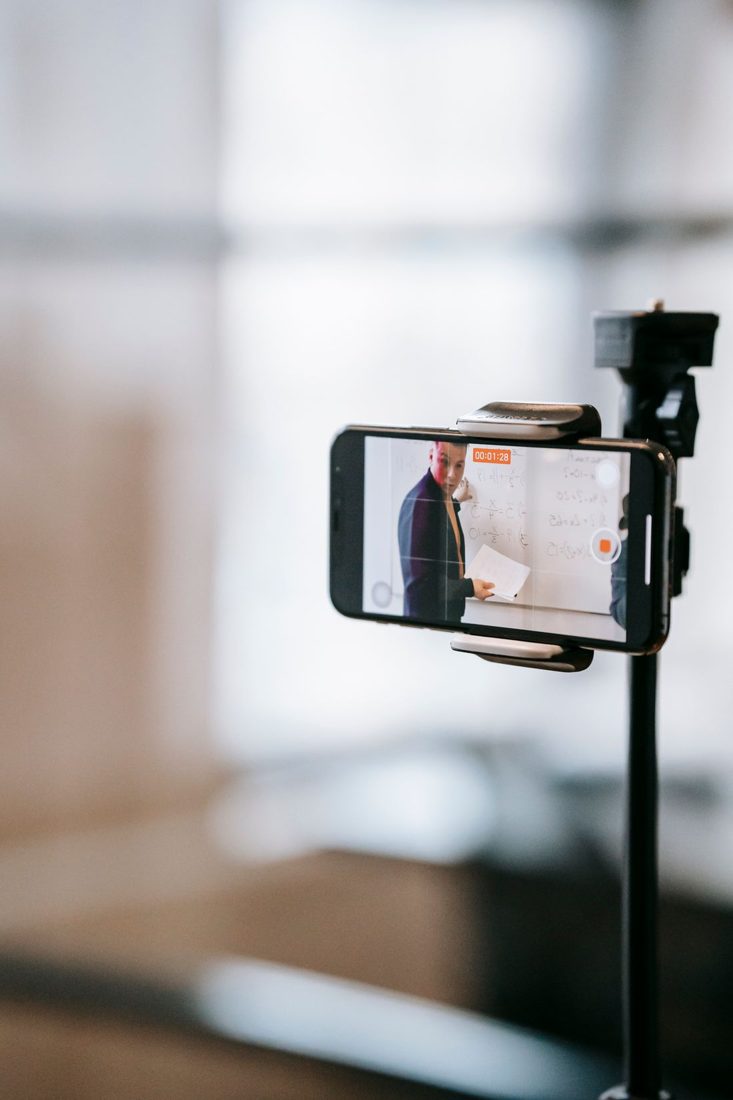
A talking-head video asks the viewer to concentrate on a person speaking. The phone needs a stable position, but the surrounding room matters just as much: a bright window behind the face, distant sound or a distracting background can pull attention away. Set up a short test with the actual speaker before recording the whole explanation.
Build the frame around the speaker
Decide whether the finished video needs a horizontal or vertical frame before mounting the phone. Put the lens around eye height for a straightforward starting view. Leave enough space above the head and around the shoulders that small natural movements remain inside the picture.
Look along the outline of the person's head. A door frame, bright lamp or shelf edge can seem to emerge from it. Moving the phone slightly may solve the problem more easily than reorganising the whole room. Keep private papers and notifications outside the frame.
Bring light towards the face
Try placing the speaker near a window with the phone facing into the room, rather than pointing towards a bright window behind them. Turn the chair slightly and compare how the cheeks look. Direct sun can create hard patches, so use a position with more even light if that suits the explanation.
Clean the lens with a suitable clean cloth before judging sharpness. Make a test recording and inspect it, since a live preview does not reveal every problem with exposure, focus or changing daylight. If your phone allows you to hold exposure and focus, use that control only after checking the intended position.
Make the voice easy to follow
Record a few sentences in the room and listen through headphones. A phone several feet away can capture more room sound than expected. Moving closer, choosing a quieter room or using a compatible microphone may help, but test the arrangement you actually plan to use.
Keep the support secure and clear of places where it can be knocked. Confirm that the phone has enough battery and storage, and manage interruptions before recording. Do not rely on a visible recording timer as proof that an external microphone is connected correctly.
Give yourself manageable takes
Look towards the lens when addressing the viewer, rather than watching your own face throughout. Place a few short prompts nearby if needed. Record one complete thought at a time and leave a brief pause before starting the next sentence.
When you make a mistake, stop speaking, return to the beginning of that thought and repeat it. The pause helps you find the new take in an edit. Check the first successful section before continuing through a long script.
Save the setup position and a reference frame if the recording will continue on another day. The useful result is a voice the viewer can understand and a picture that supports it. A repeatable, uncomplicated phone setup often leaves more attention available for the explanation itself.