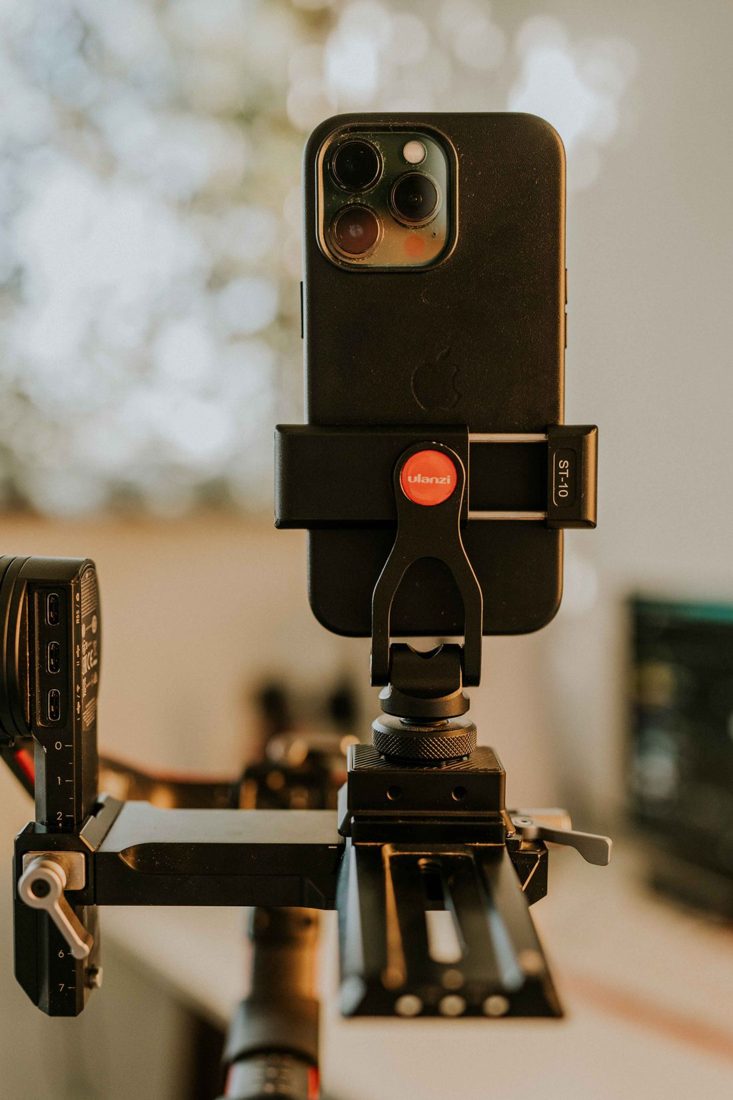
An overhead phone angle is useful for demonstrations, but the clamp is only one connection in the support system. The phone may sit securely in its jaws while a joint rotates or the table attachment slips. Before placing the setup above a work surface, check every part against the intended use and manufacturer instructions. A careful trial near the surface is more informative than a quick squeeze of the clamp.
Check the phone with its actual case
Compare the clamp’s supported size range with the phone as you will use it, including its case. Look at where the jaws contact the device. They should not press important buttons or rely on a slippery edge that the holder was not designed to grip.
Inspect pads, springs, threads, and locks for damage or missing parts. Fit the phone using the prescribed method rather than adding improvised wedges. If removing the case is required, reassess the fit and how the camera will be protected when the phone is outside the holder.
Follow the support back to the table
Check compatibility between clamp, head, arm, and base. An attachment described as fitting a phone does not establish that it is intended for an extended overhead position. Include the weight and position of every accessory. Respect the specified load and orientation limits for the complete arrangement.
Inspect the table attachment and the surface it grips. Thin edges, glass, unusual profiles, or movable panels may not be suitable for a particular clamp. Tighten only as instructed and keep the working area clear while setting up. Do not use a precarious table edge simply because it offers the desired camera angle.
Test close to the surface first
With the support in its intended arrangement, begin low over a clear, protected area and check for slipping or gradual rotation. Keep hold of the device as appropriate while fitting it. If any connection shifts, resolve that problem before raising the phone. Use a compatible secondary restraint when the system’s instructions provide for one.
Rehearse the real demonstration
Move your hands and materials through the planned workspace without striking the arm. Check charging or audio cables for tension and keep them away from moving tools. Record a brief sample for wobble and framing. Avoid leaving the suspended setup unattended, and remove the phone before making major support changes. An overhead view should be changed or abandoned when the available equipment cannot support it as intended.
Repeat the connection check whenever the phone, case, arm position, or table changes. Store the holder so its pads and threads remain in good condition. The useful result is a repeatable, supported camera position that leaves you free to demonstrate the task, rather than worrying about a slowly moving phone.